
CondLife
Residents often miss important updates, struggle to track maintenance requests, and lack visibility into building-related information.
Role
UX/UI Designer
Duration
4 Weeks
Tools
Figma

01- THE PROBLEM
Managing life in residential
buildings can be challenging
Residents face daily challenges due to outdated and fragmented building management systems, making communication, maintenance tracking, and access to important information more difficult.
Scattered Information
Information is spread across multiple channels.
Maintenance Tracking
Requests are hard to track, delaying repairs.
Payment Transparency
Fees and payment status are often unclear.
Missed Updates
Important updates go unnoticed.
Residents and managers face delays, frustration, and communication gaps.
02- USERS
Understanding the people behind the product
To better understand different user needs, I created three personas representing key resident profiles within modern residential communities.

Marta Nowak
52 years old
Dublin, Ireland
Basic English
Cleaning

Carlos Mendes
45 years old
Cork, Ireland
English B2
Deliver

Sarah O’Connor

38 years old
Dublin, Ireland
Native
Nurse
03- THE SOLUTION
CondLife brings everything together in one place
CondLife helps residents and property managers stay connected, informed, and organised through a single digital platform.
Centralise communication
Simplify maintenance requests
Strengthen community engagement
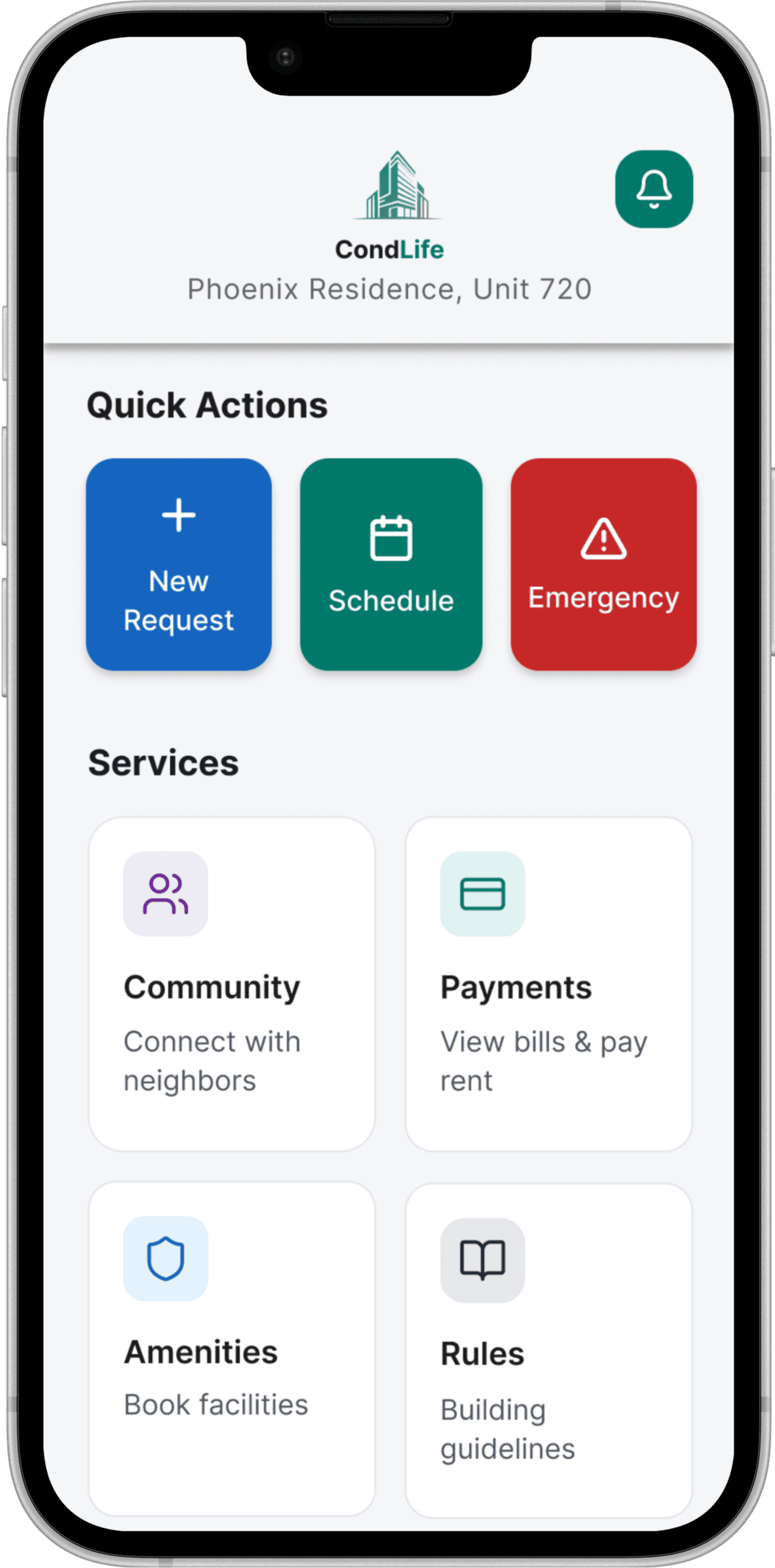
Announcements
Receive important updates instantly
Maintenance Requests
Report issues and track status in real time.
Rent Payments
Manage payments and view your history.
Community
Connect with neighbours and
strengthen community
engagement.
Language Support
Use the app in your preferred language and translate chat messages instantly.
04- PROTOTYPE
Interactive Prototype
A focused prototype showing the core resident journey: submitting maintenance requests, tracking payments, and keeping communication in one place.


05- REFLECTION
Reflection: Key decisions and learnings
Looking back, I spent less time thinking about adding features and more time asking, "Would this actually help someone?" That shift changed many of my design decisions.
Design judgement
I learned to simplify complex problems by focusing on what people need most. Instead of adding more features, I prioritised clear navigation, predictable actions, and everyday tasks that residents could complete with confidence.
What worked
Clear resident needs shaped the MVP.
Core flows stayed simple and repeatable.
Visual patterns made the app easier to scan.
Challenges handled
Prioritised the most frequent tasks first.
Balanced two user groups without overloading the interface.
Kept accessibility and language needs visible.
Next steps
The next phase would validate the prototype with residents and property managers, focusing on whether users can quickly submit a maintenance request, understand payment status, and find urgent building updates. Future iterations could explore community discussion, multilingual support, and more personalised notification preferences.